Choosing an editable birthday invitation can feel like a small decision, but it shapes the tone of your celebration. If you're looking at travel event invitations or party-ready Canva templates, two options stand out: a budget-conscious flat card designed for ages 6 or 7, and a princess-themed pamper party invitation from TheChalkFactor. Both are digital downloads that you can personalize, yet they work in very different ways. Here's how they compare on listed price and editing experience.
Quick Verdict
If you want to handle every text change yourself and keep the listed price lower, the 6 or 7 Birthday Invitation Editable Canva Template at USD 4.99 is the clear pick. It gives you a fully editable flat card where the name, age, date, time, location, and RSVP line are all under your control. If you're hosting a princess fan and prefer a designer-done invitation where the seller writes in the child's name and age, the Princess Party Birthday Invitation from TheChalkFactor at USD 6.50 is the one to consider.
Comparison at a Glance
| Product | Listed Price | Editing Approach | Price Indicator |
|---|---|---|---|
| 6 or 7 Birthday Invitation Editable Canva Template | USD 4.99 | Fully editable in Canva (all text fields) | |
| Princess Party Birthday Invitation from TheChalkFactor | USD 6.50 | Seller personalizes name and age; you edit the rest |
Where the 6 or 7 Template Wins
The 6 or 7 Birthday Invitation is built for complete self-service. The Canva template works with a free account, lets you customize the child's name, age, party date, time, location, and RSVP details, and can be edited on a desktop, tablet, or mobile device. With its flat card format and retro pattern, it suits a girls' birthday celebration that needs a quick, printable 5x7 design.
Where the Princess Party Template Wins
The Princess Party Birthday Invitation from TheChalkFactor brings a clear theme to the table: princess names like Elsa, Cinderella, Belle, Ariel, and Tiana are already part of the design. The seller will personalize the child's name and age for you, so you don't need to worry about editing that specific text. You can still customize the rest of the invitation through Canva to change party details.
Product Notes
#### 6 or 7 Birthday Invitation Editable Canva Template Digital Download
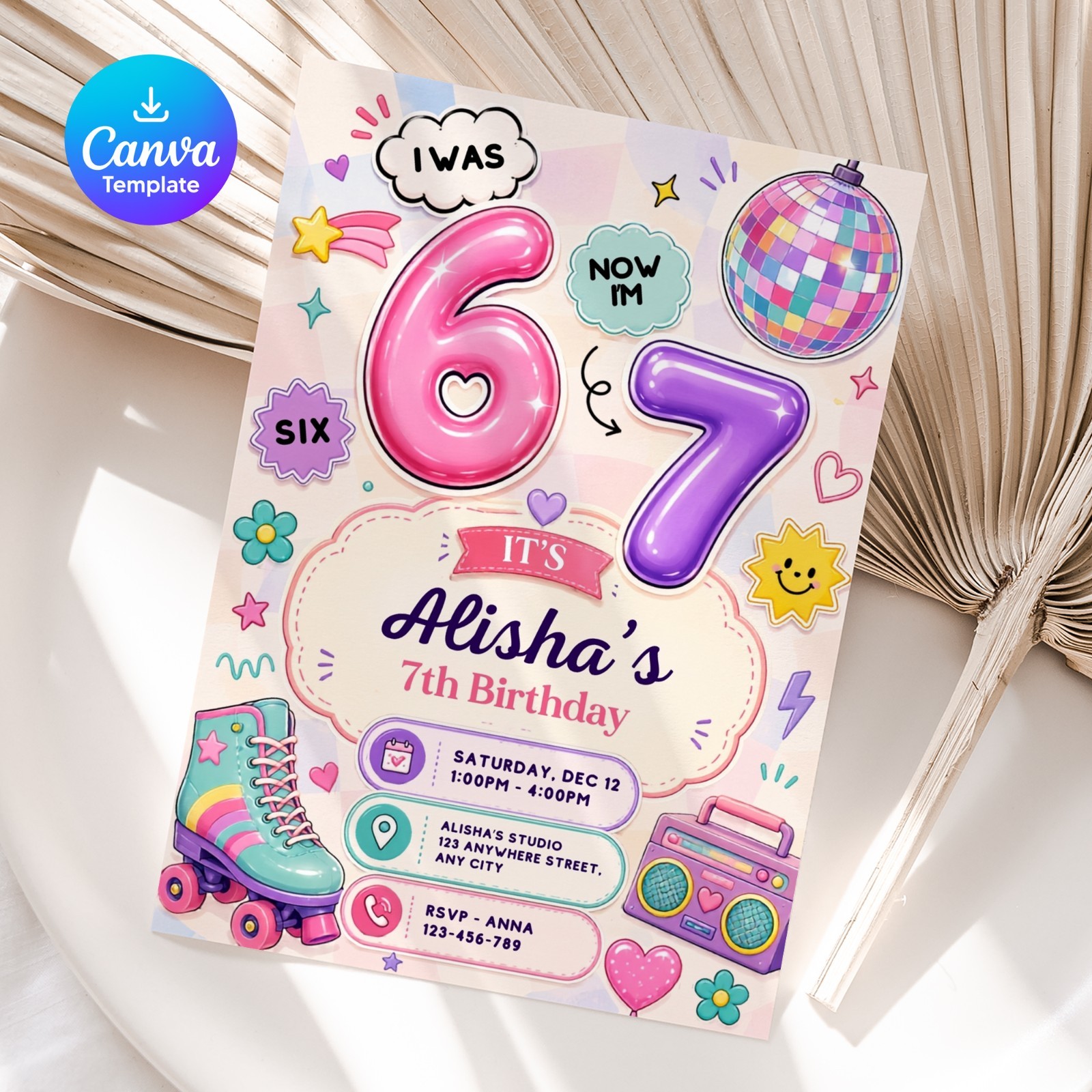
This template gives you full editing freedom. The 5x7 flat card can be customized in Canva, and the listing says you can change the name, age, date, time, location, and RSVP details. The design is described as a retro pattern for girls, and you can work from a computer, tablet, or mobile. Choose it if you like to have everything in your own hands and want to avoid waiting for seller personalization. The main limitation is the age range: it's made for a 6 or 7 birthday, so if your child is outside that age, this specific template may not match the milestone you're celebrating.
#### Princess Party Birthday Invitation from TheChalkFactor
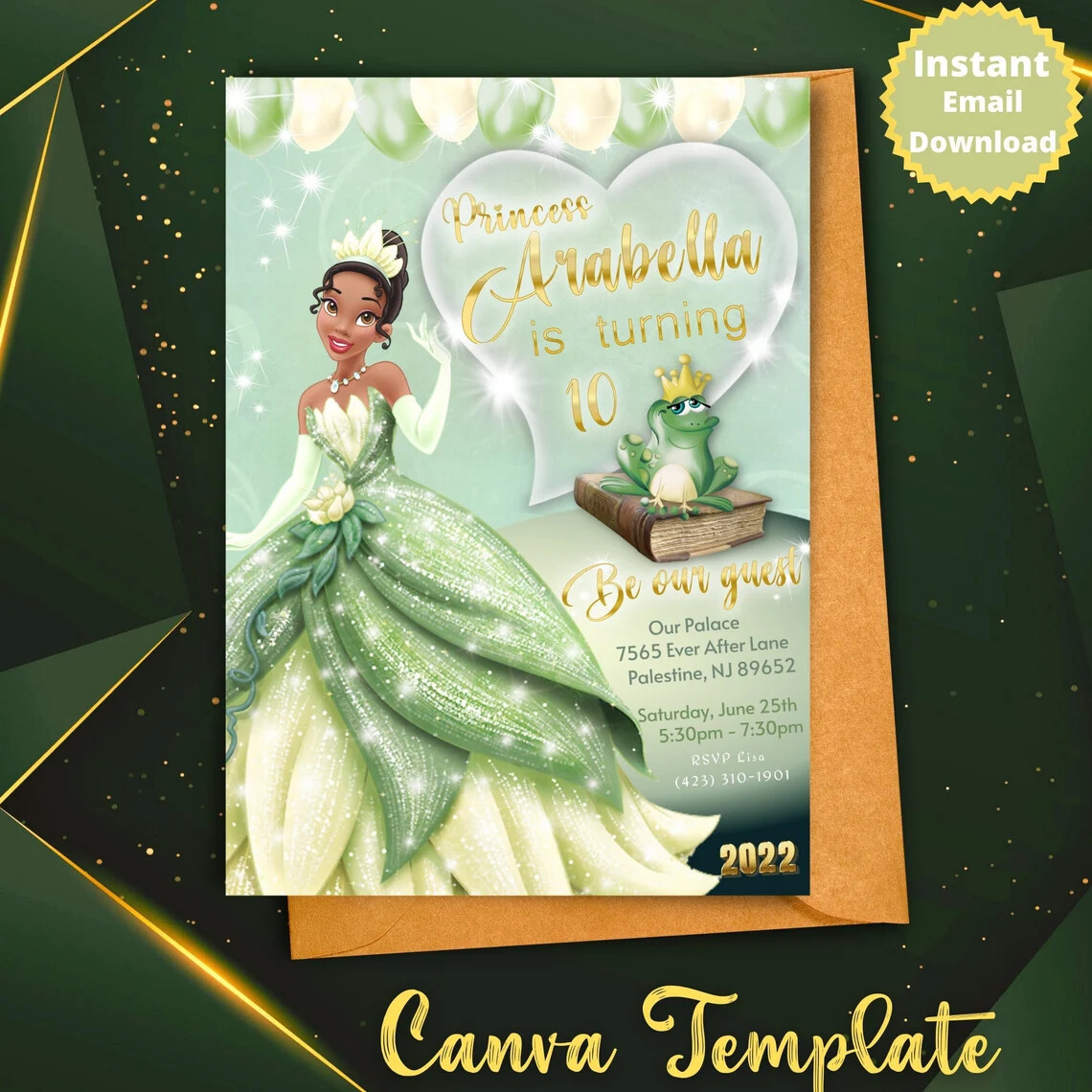
This invitation leans into a princess pamper party theme, with character names like Elsa, Cinderella, Belle, Ariel, and Tiana reflected in the design. The seller personalizes the child's name and age for you, and the listing notes a 24-hour turnaround time when that personalization is selected. You'll still have a Canva template to adjust other party details on a computer or mobile. It's a strong choice if you want a cohesive princess look and prefer to hand off the name-and-age text to the seller. The trade-off is that you can't edit those two specific text fields yourself, so you'll need to factor in the seller's personalization step.
Final Choice by Use Case
Choose the 6 or 7 Birthday Invitation Editable Canva Template if you want the lowest listed price, complete edit control, and a simple flat card for a 6th or 7th birthday.
Choose the Princess Party Birthday Invitation from TheChalkFactor if you want a themed princess invitation and are comfortable letting the seller add the child's name and age for you.