Choosing the right office forms documents can feel like a small decision, but it matters when you need to get paid. A good invoice template should make you look professional, let you customize your logo and details, and not force you to start from a blank page. The Digital Invoice forms, Customer invoice template, Customizable business invoice is a low-cost invoicing option that you can tailor to your business. Whether it's the right pick depends on how comfortable you are with editing and how quickly you need the file.
Quick verdict
This is a solid choice if you want a customizable invoice format with editable fields. The template costs $2.99 and includes sections for company details, customer details, logo, items, bank or payment transfer details, and invoice number and date. It's not something you can access immediately, though. After purchase, you need to message the seller, and the file is emailed within one working day. For anyone in a hurry, that delay is the biggest drawback.
Who it suits
This template is a good fit for freelancers, small business owners, and occasional sellers who send a handful of invoices each month and want to keep their branding consistent. Because it's an editable document, you can adjust column widths, fonts, and layout without learning new software. It also works well if you prefer to print invoices or save them as PDFs straight from the file.
What stands out from the listed details
The main strength is the editability. The template is built around a .docx file, and the listed model is Microsoft Word, so it's designed to work with Word's editing tools. The description also says you can save the finished invoice as a PDF or Word file, email it to the customer, or print it. That flexibility makes it more useful than a static PDF template.
Meaningful trade-offs
The biggest trade-off is how the file reaches you. This isn't something you can use immediately; you have to send the seller a message after purchase, and the file arrives by email within one working day. That means you should plan ahead if you're about to invoice a client. Another trade-off: you need Microsoft Word or a compatible program to edit the template, so it may not suit a workflow built around other office suites.
Product notes
Digital Invoice forms, Customer invoice template, Customizable business invoice
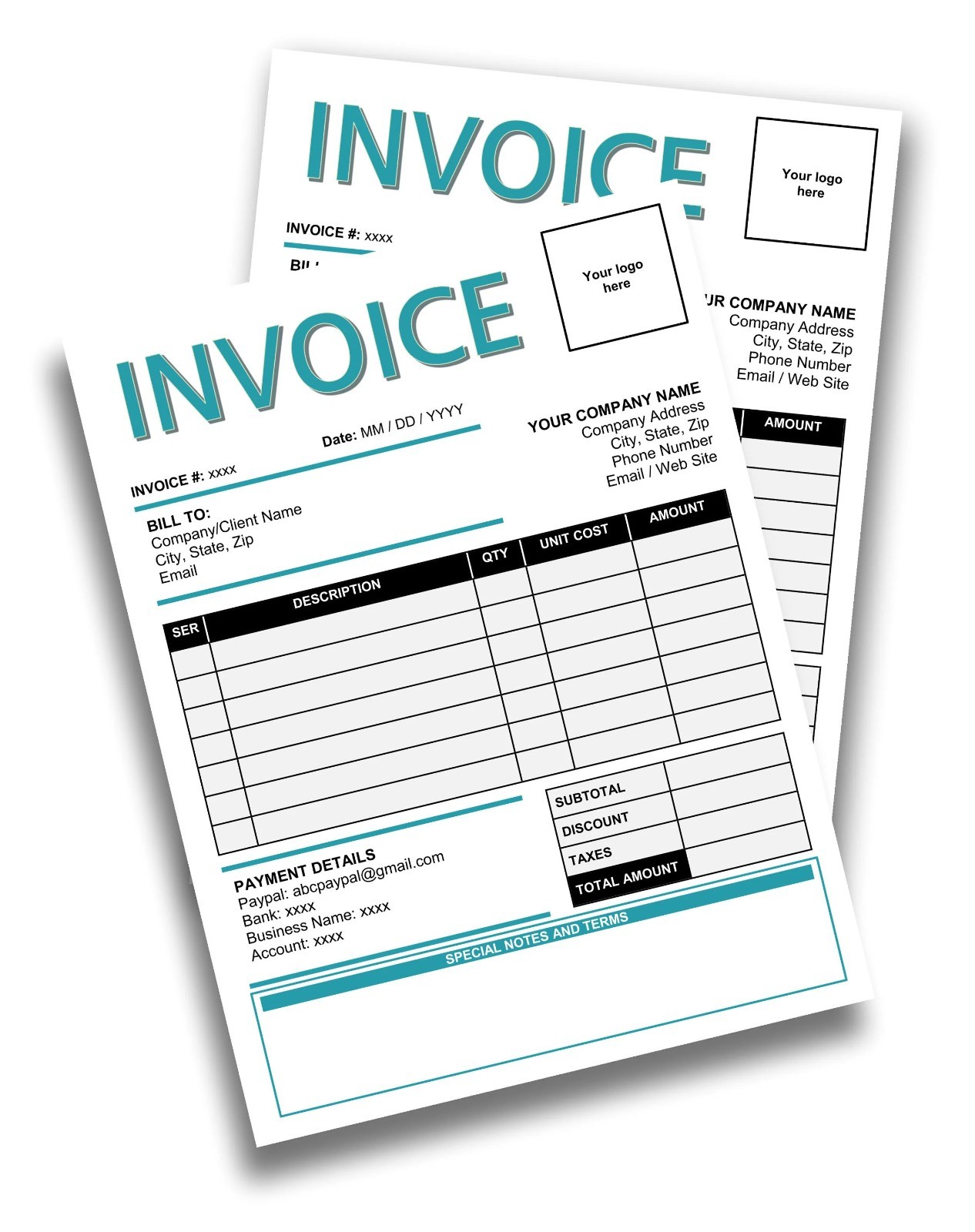
This $2.99 digital invoice template is a practical office forms document for anyone who wants a customizable file rather than a fixed layout. The reason to pick it is the range of editable fields: your company details, customer details, logo, items, bank and payment information, and invoice numbering. The limitation is the waiting time: you need to contact the seller after purchase and receive the file by email within one working day, so it's not for same-day use.
Bottom line
If you need a straightforward, editable invoice template and can allow a one-working-day turnaround, this product does what it promises for a low price. It's not an instant solution, and it won't help if you don't have the right software, but for everyday invoicing in a familiar format, it's a reasonable buy.