Choosing a digital planner usually starts with the app, but the real puzzle is finding a planner file that fits how you organize your time. You want something that lets you switch between daily and monthly views, move pages around, and add visual cues without the file becoming a cluttered mess. This 2024 digital planner tries to do all of that at a price that makes it easy to test.
Quick verdict
For USD 2.99, this planner offers a PDF file that works with GoodNotes, Notability, Xodo, and similar annotation apps. It includes seven theme styles, 480+ pre-cropped digital stickers, 3000+ premium stickers, 200+ covers, and the ability to duplicate or remove pages. The layout is daily and monthly, with support for Sunday or Monday starts. The main catch is that you need a compatible PDF annotation app, and you'll message the seller to receive access to the files. OneNote is not supported.
Who it suits
This is a solid match if you already use a PDF annotation app and you like having a large sticker library at your fingertips. It's also useful if you want to keep your daily planning and monthly overview in a single file without buying separate packs. If you primarily work in OneNote, this planner isn't for you.
What stands out from the listed details
The sticker collection is the biggest headline: more than 3,000 premium stickers spanning categories like fitness, finance, activities, and architecture, plus another 480+ pre-cropped icons in 14 color palettes. The 200+ cover designs cover a range of styles, from flowers and marble to landscape and geometric looks. Because you can duplicate or remove pages, you can strip the planner down to just what you need or build out extra spreads for busier weeks.
Meaningful trade-offs
Because this is a PDF, it won't work in apps that can't handle PDF annotation. You'll need GoodNotes, Notability, Xodo, or a comparable tool. The listing also notes that you'll message the seller after purchase to receive access to your files, so it's not an instant download the moment you finish checkout. If you'd rather not exchange a message, that's a small hurdle. Also, this is a 2024 calendar, so it's built for planning that year rather than a future one.
Bottom line
If you're already set up with a compatible annotation app and want a low-cost way to try a heavily customizable digital planner, this one is a strong candidate. The combination of daily and monthly views, flexible page handling, and a massive sticker collection makes it easy to tailor. Just confirm your device can handle PDF annotation and be ready to message the seller for file access.
Digital Planner, GoodNotes Planner, iPad Planner, Notability Planner, Daily Week
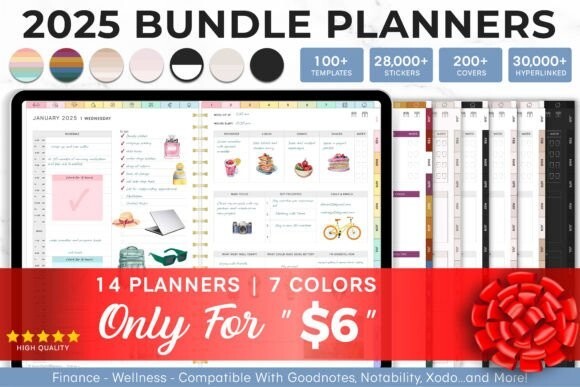
At USD 2.99, this planner is a low-commitment way to get a huge library of stickers and covers in a single file. The daily and monthly formats, plus the ability to duplicate or remove pages, make it easy to adapt as your schedule changes. The limitation is that it requires a PDF annotation app and won't work in OneNote, so be sure your go-to app is on the compatible list before you buy.